Placing an online order with your Virtual Card
Once you've added items to your Ikea cart and are ready to check out, you'll need to go to your Slope Buyer portal to create the loan. Click on the "Finance Purchase" button, as seen below.

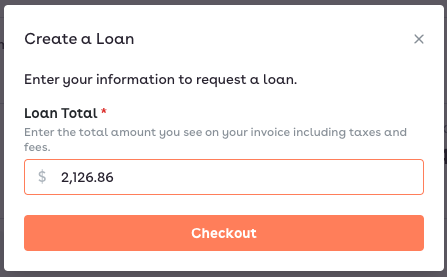
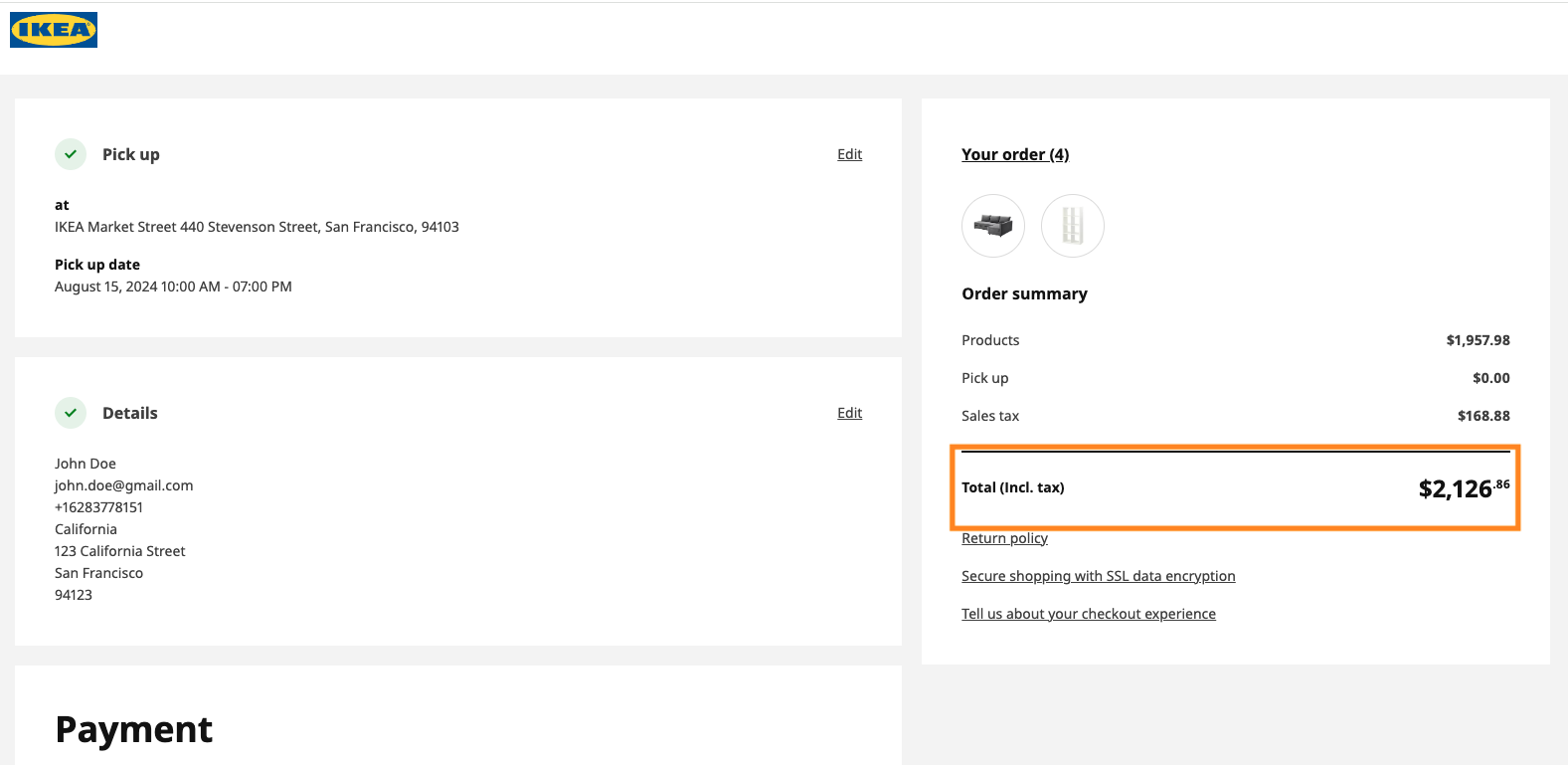
You'll get the following pop-up. Make sure that the Loan Total matches the exact amount in your cart on Ikea, as seen below. If the numbers do not match exactly, the transaction will be declined.
Next, you'll be asked to add a repayment method, which Slope will automatically pull from once your loan repayment is due.
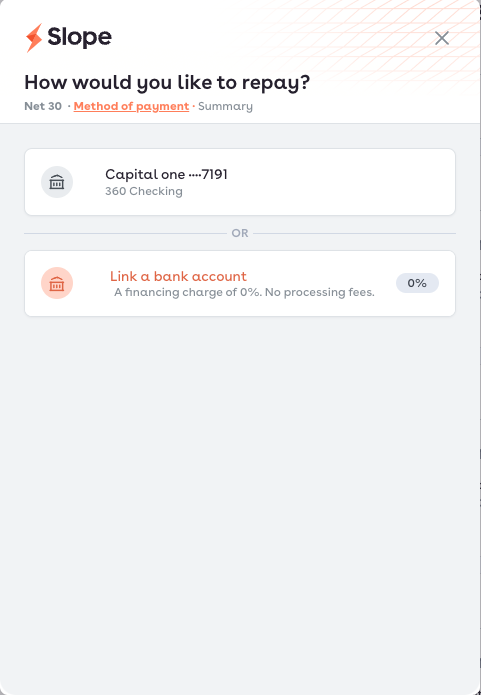
Once you've added a repayment method, you can complete the loan creation process by agreeing to the terms and conditions.
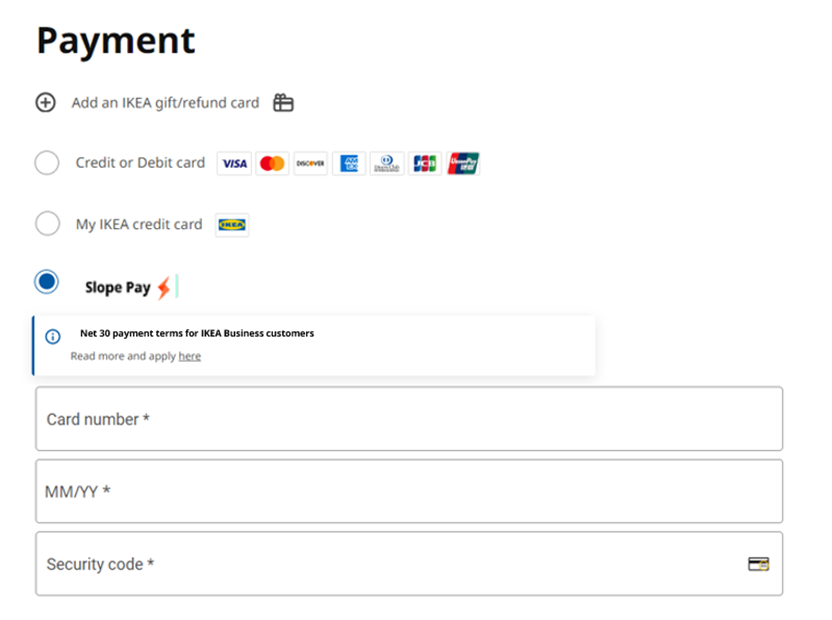
Once you've successfully created the loan, you can then input your Slope virtual card details during your Ikea checkout. You can find your virtual card details by going to your Buyer portal, clicking on the profile picture in the top right, and clicking on Virtual card.
Please ensure that you add the card details to the correct field, as seen below. If you input the card details in the Credit or Debit card field, the transaction will be declined.